
More revenue
Capture the orders you’re missing today.
The second round on the sunbed. The late-night snack in the room. Guests order the moment they want something, not when a server finally walks by.
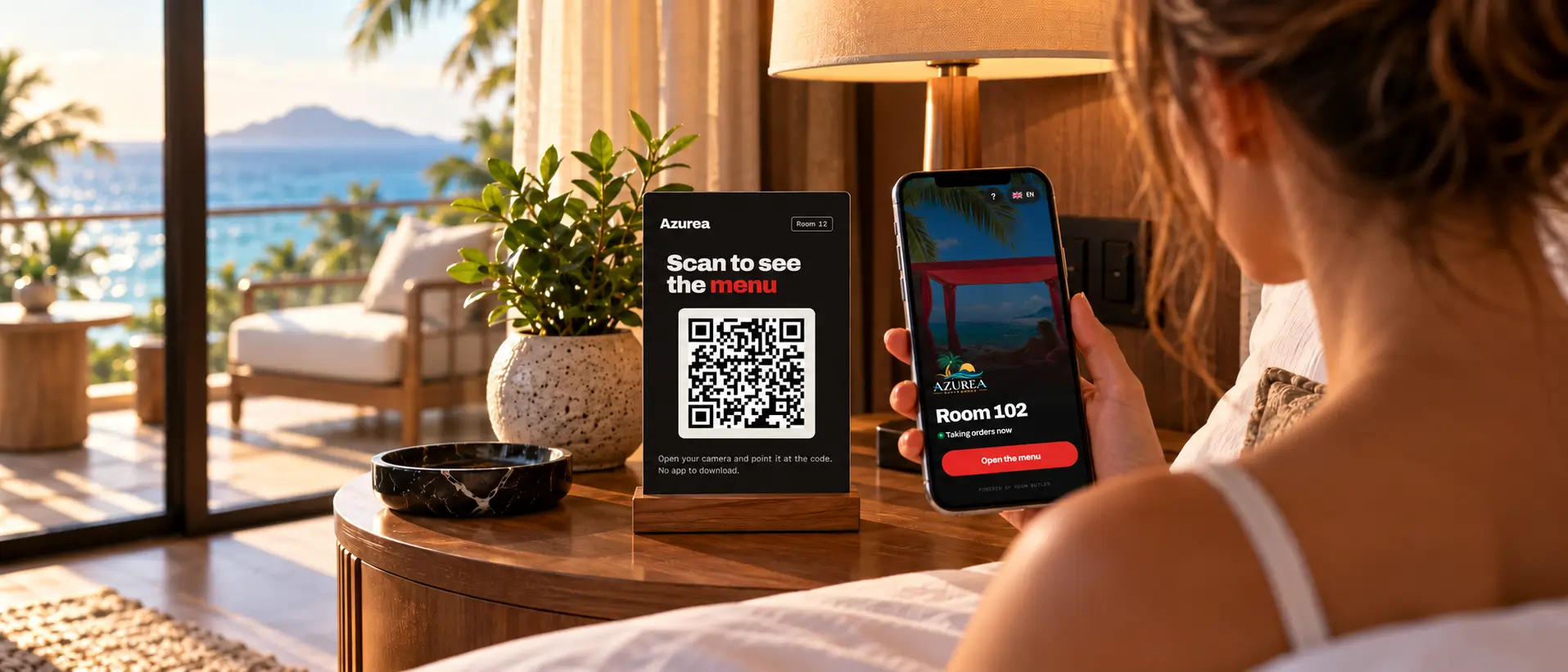
QR ordering for hotels, resorts and beach clubs
Room service, poolside and terrace orders from a simple QR code. Guests scan, order from your menu in their own language, and your team gets the order with the room or sunbed number already on it. Nothing to download, no calls to the front desk.
No credit card needed. Live in an afternoon. From the team behind The Waiter Button.
What you get
The revenue is already on your property. Guests just don’t have an easy way to ask for it. Put the menu in their hand and they will.
The second round on the sunbed. The late-night snack in the room. Guests order the moment they want something, not when a server finally walks by.
Sides, drinks and desserts that actually go with the dish, suggested on the item and again at checkout.
Room number, choices and the guest’s note arrive on one ticket.

Offer up to 11 languages. Each guest sees the menu in theirs, with prices still in your currency.
Orders by outlet, location and hour, so you can staff the rush and price with confidence.
The full check stays with you. Change prices, photos and availability yourself, live in seconds.
Smart upselling, analytics and menu translation are included from the Resort plan up. Compare plans
The Waiter Button already works with
Who we are













How it works
Every QR code knows its location, so nobody has to ask for a room number and nobody has to explain anything.
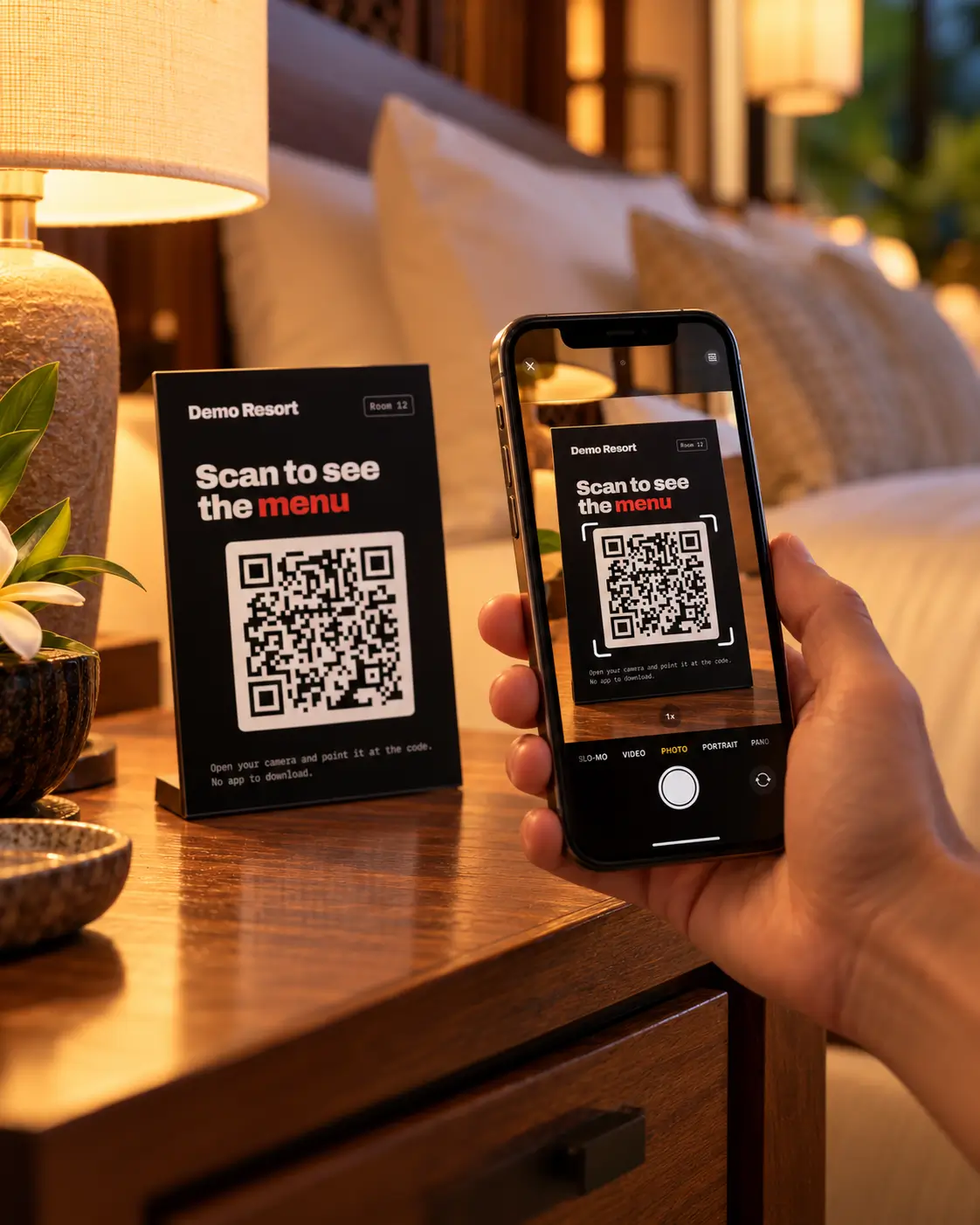
Step 01
On the nightstand, the table or the sunbed. Your menu opens in their browser. No app, no sign-up, no Wi-Fi login.
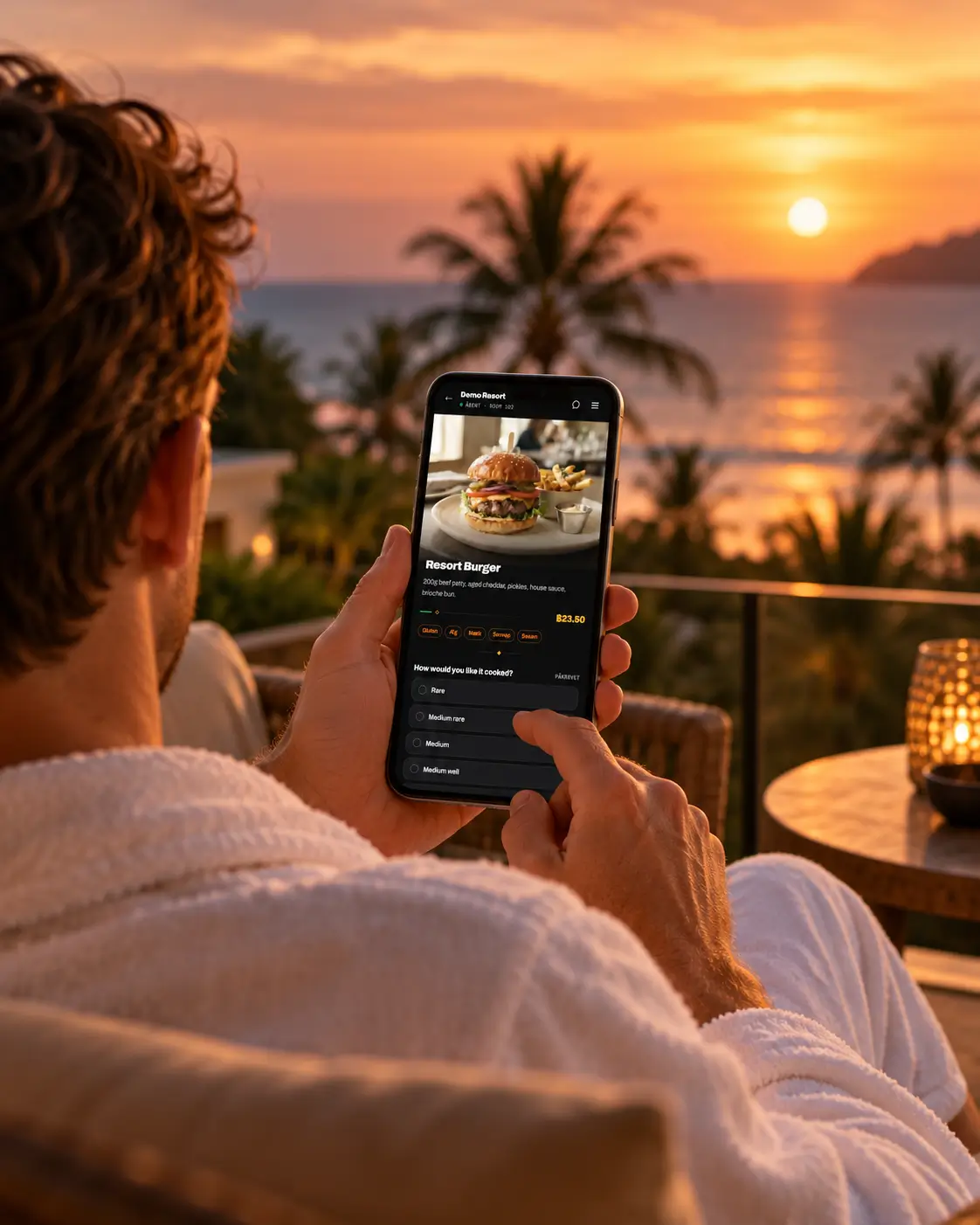
Step 02
Choices, allergens, a note for the kitchen and a suggested pairing or two. Charged to the room or paid on delivery, your call.

Step 03
The order goes straight to the right outlet with the location on it. One tap to accept, and the guest can follow it to their door.
See the app
These are real screens from our demo resort, not mock-ups. Follow one in-room dining order from the guest’s phone to the supervisor’s queue.
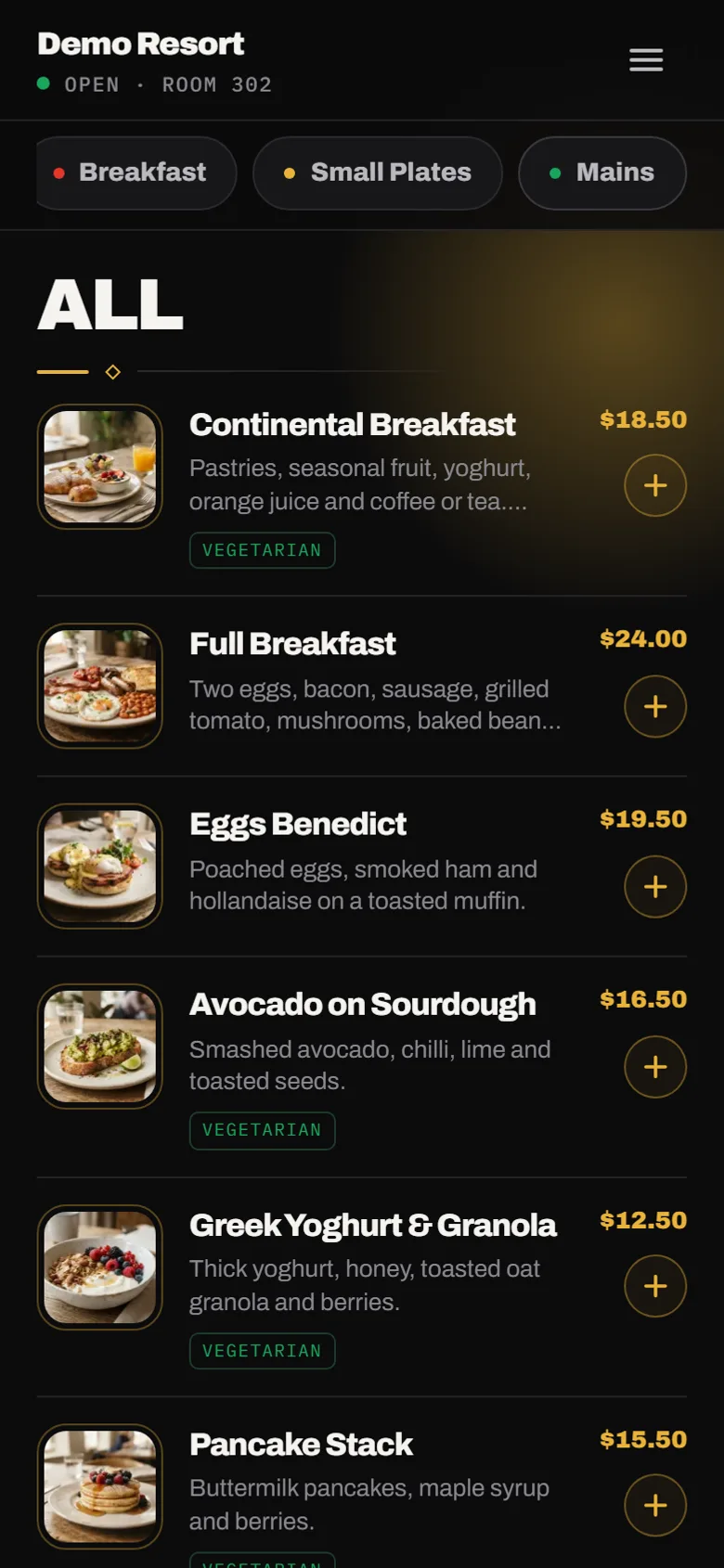
Opens straight from the QR code and shows only what that outlet serves right now, with photos, prices and dietary tags.
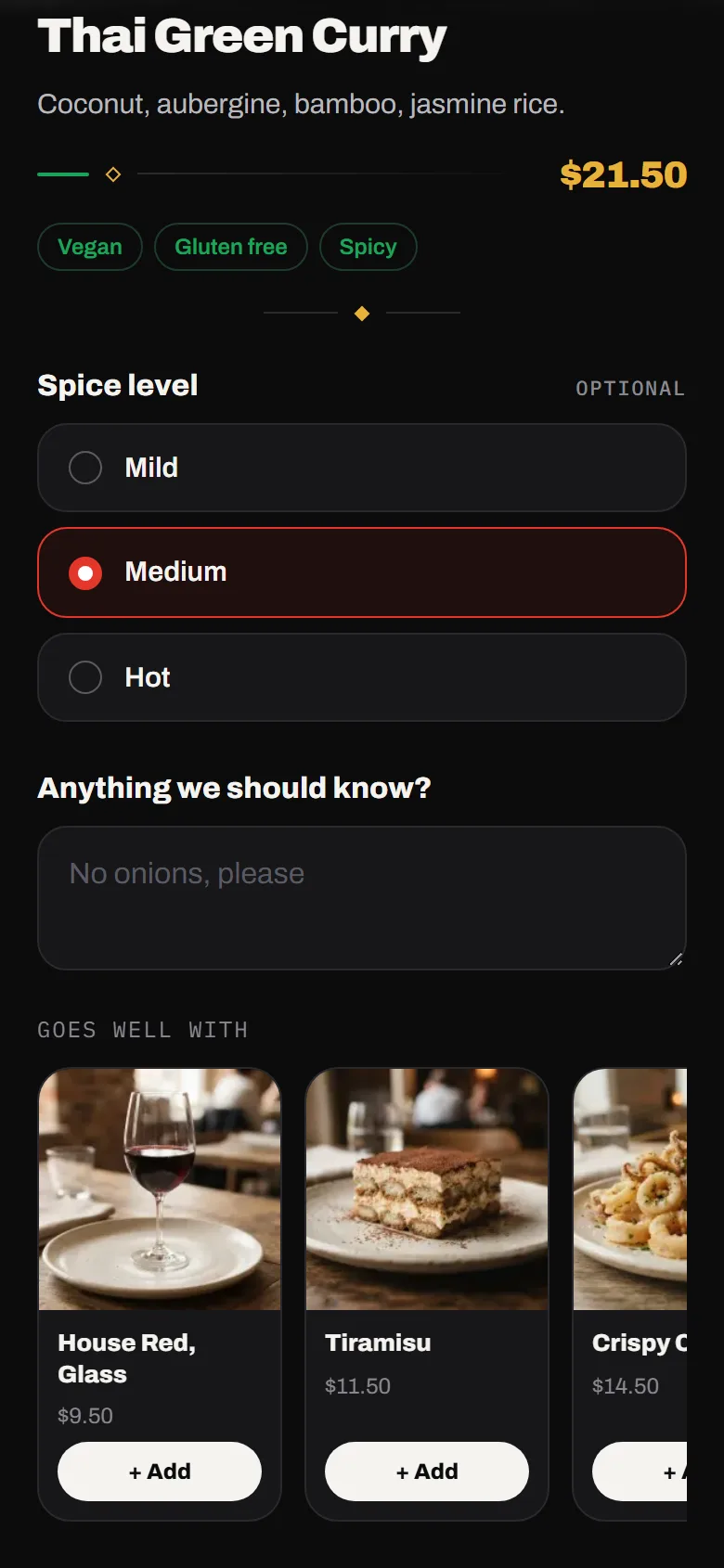
Cooking preferences and a note for the kitchen, with dishes that go well together suggested before they add to cart.
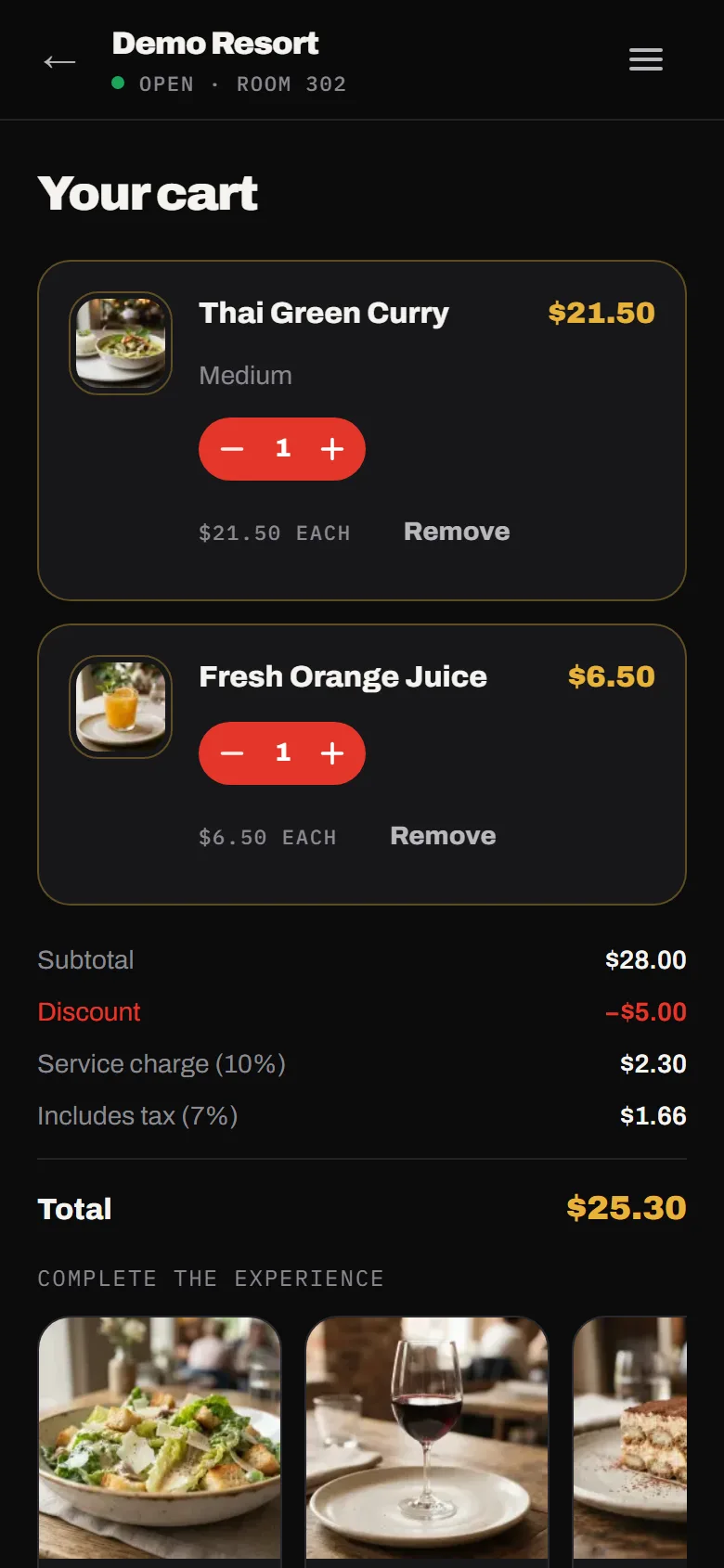
Service charge, tax and promotions calculated from your settings, plus one last suggestion before checkout.
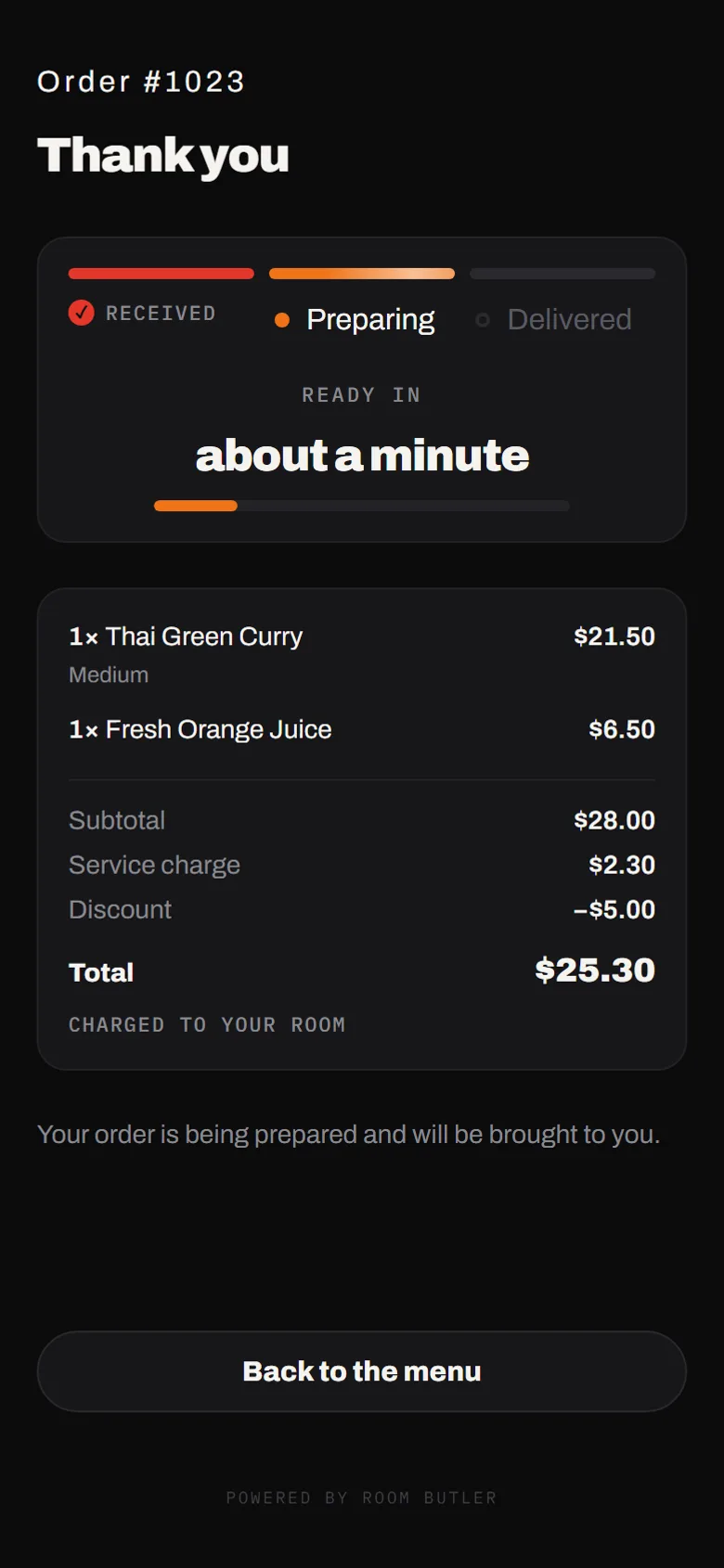
Received, preparing, delivered. No calls to ask where the food is, and an emailed receipt if they want one.
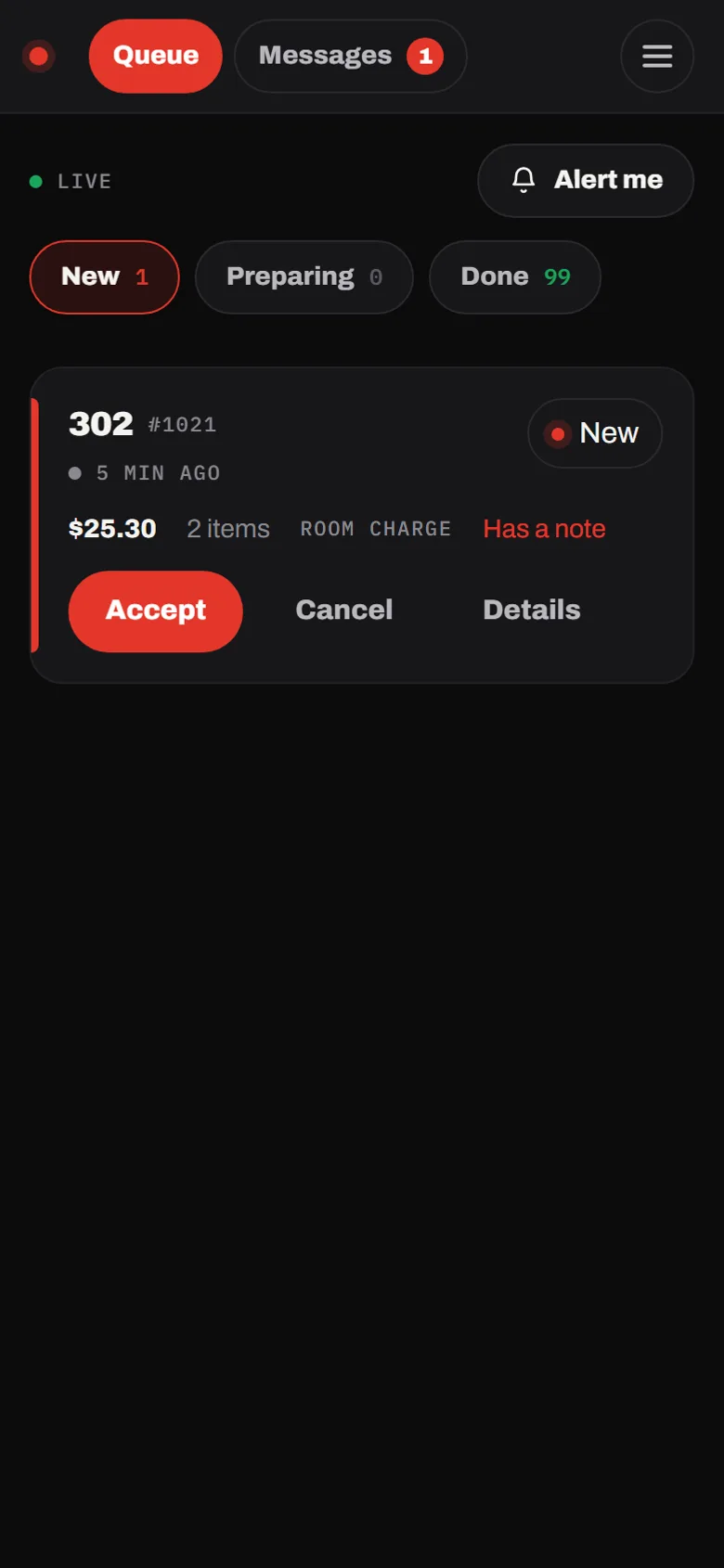
Try it now
Scan the code, pick a dish, add a pairing and place the order. Then watch it go from received to delivered in about a minute and a half. Nothing is charged.
Multilingual digital menu
Guests order more when they understand what they’re ordering. Room Butler shows each guest your menu in their own language and sends every order to your team in yours.
A guest who can’t read the menu calls the front desk or doesn’t order at all. In their own language, they browse, add extras and come back for more.
Cooking choices, add-ons and allergens are translated too. Guests know exactly what they’re ordering, and the kitchen gets it right first time.
Translate the whole menu in one click with AI, then fine-tune any line yourself.
AI menu translation is included from the Resort plan up. On every plan, the guest app itself speaks your guest’s language.
Guests get your menu in their phone’s language, or in English if you don’t offer it, and can switch with one tap. 11 languages available.
Getting started
No hardware, no POS project, nothing for guests to download. You set it up in the admin console and stay in control. We’re on email if you’d like a hand.
Start your free trialAdd items, prices, photos, allergens and modifiers in the admin console.
Rooms, sunbeds, tables and cabanas, grouped into zones with their own menus and hours.
Room cards and table tents print straight from the console. One code per location.
Thirty minutes on the order queue. Everyone else works just as they do today.
It runs alongside them rather than inside them, so there’s no integration project. Room-charge orders are clearly marked on the ticket, and your team posts them to the folio the way they do today.
Not yet. Guests charge to the room or pay cash on delivery, and you choose which to offer.
No. The QR code opens your menu straight in their phone’s browser. No app, no account, no Wi-Fi login.
It works on the guest’s mobile data too. If the connection drops, nothing in the cart is lost and the order screen keeps checking for updates.
Start with the pool bar or a single floor of rooms. Use your own menu and prices, then judge it on the numbers. No credit card needed, and if it doesn’t pay for itself, it simply stops.
